
WahoApp APK Download Latest Version
Enjoy a smooth Android experience with modern features, simple navigation, and optimized performance through WahoApp.
Security Verified
WahoApp
Latest Android Version
Simple • Fast • Modern
WahoAPP
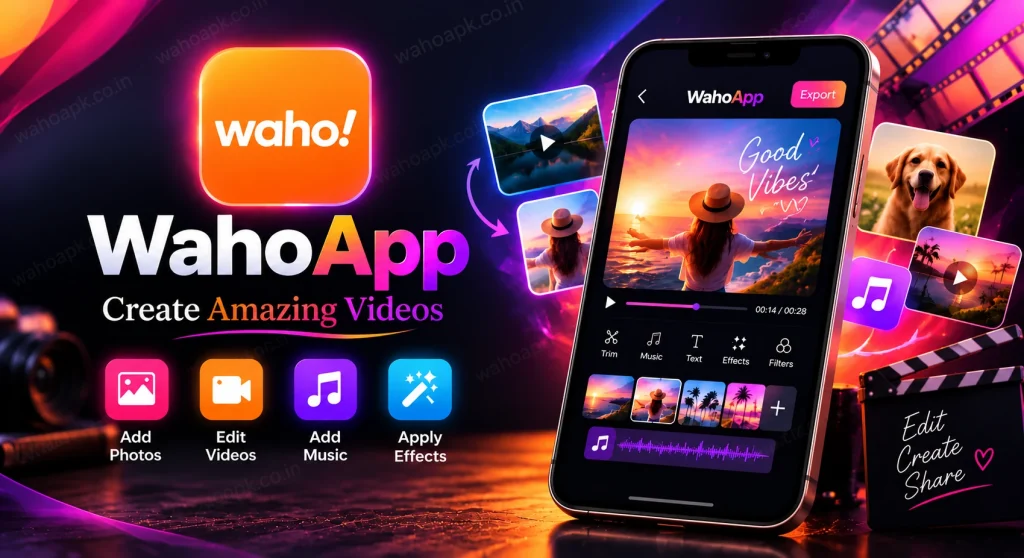
The Waho App is a template-based video editing application that helps users create attractive videos using photos, music, transitions, and visual effects. With ready-made templates and simple editing tools, it makes video creation easier for beginners and content creators. Users can prepare engaging videos for Instagram Reels, YouTube Shorts, and WhatsApp Status without needing advanced editing skills. This guide covers Waho App Download APK, its main features, installation steps, login information, and available premium options.It also explains how users can explore creative tools to make personalized videos for different occasions.
What Is Waho APK?
Waho Video Editor & Maker is an Android application designed to simplify short-video creation. Users can select a template, add their photos or video clips, and customize music, transitions, and visual effects. It is suitable for beginners, social media users, and people who want to create birthday videos, festival greetings, lyrical edits, and personal memories without manually editing every detail.
The app’s template-based workflow can help users save time while creating personalized content for different occasions. It also provides a convenient starting point for experimenting with creative styles and preparing videos to share on social media platforms.
Features of Waho App
Automatic Beat Sync
The application uses template-based editing patterns to synchronize visual transitions with music. This helps users create rhythmic videos without manually adjusting every cut.
Music and Regional Templates
Users can explore different music styles and regional themes to create videos that match their preferences and occasions.
AI Effects and Lyrics
Creative effects, animated particles, lyric layouts, and visual transitions help users personalize their videos and make them more engaging.
Festival and Occasion Templates
Templates for birthdays, anniversaries, Diwali, Holi, Christmas, and other celebrations make it easier to create personalized greeting videos.
Social Media Video Creation
Users can prepare short videos for platforms such as Instagram Reels, YouTube Shorts, and WhatsApp Status, depending on the exported file’s compatibility.
Easy Video Editing
The template-based workflow provides a simple starting point. Users can select a design, add their media, preview the result, and export the finished video.
How to Download and Install Waho App
If you are looking for Waho App Download APK, check that the download source identifies the correct application and provides relevant file and compatibility information.
Follow these steps:
- Visit a trusted website offering the application.
- Find the Waho App download section.
- Review the available file details.
- Download the APK to your Android device.
- Locate the file in your Downloads folder before installation.
- Always verify the source before installing an APK file. Avoid unknown packages that do not provide clear application information.
How to Install Waho App on Android
After downloading the APK, follow these steps:
- Open File Manager on your Android phone.
- Navigate to the Downloads folder.
- Tap the downloaded APK file.
- If required, review the permission to install from that source.
- Continue with the on-screen installation instructions.
- Open the application after installation.
- Make sure your device has sufficient storage and meets the application’s compatibility requirements.
How to Use Waho App
Creating a video involves a few simple steps:
Open the application and explore the templates.
Select a design that matches your preferred style.
Add your photos or short video clips.
Customize the available music, text, and effects.
Preview the complete video.
Export the finished file and share it on your preferred platform.
Review the exported video before publishing it to ensure that the visuals, text, and audio appear correctly.
APK Installation Errors & Solutions
Errors During the Installation Process
- Insufficient storage space.
- Unsupported Android version.
- Incomplete APK download.
- Installation blocked by device settings.
- APK file is corrupted.
- Package parsing error.
- App installation fails repeatedly.
- Existing app version conflict.
- Unknown source installation restriction.
- Device compatibility issues.
How to Solve These Errors?
- Free up storage space.
- Check Android version requirements.
- Download the APK file again.
- Review device installation settings.
- Download a valid APK file.
- Check the APK file compatibility.
- Restart your device and retry.
- Uninstall the conflicting older version if appropriate.
- Allow installation from the selected source if you trust it.
- Verify device compatibility before installing.
Waho App Login
Users searching for Waho App Login should check the account options displayed when opening the application. Login requirements may depend on the features being used. If an account is requested, follow the available sign-in instructions and review the information required. Keep your credentials private and use the application’s provided login process.
If the app offers different sign-in methods, choose the option presented on its official login screen. Make sure your internet connection is stable if online authentication is required. If you experience login issues, double-check the information you entered and follow any available account recovery instructions.
Waho Pro App
The term Waho Pro App is commonly used when searching for premium features associated with the application. Users interested in additional editing resources should review the available premium options before purchasing. Check the listed features, subscription price, billing frequency, renewal conditions, and cancellation process. Premium benefits should be confirmed through the actual offer rather than assumed from the name alone.
Before choosing a premium plan, compare its features with your video editing needs and expected usage. Also, review whether the subscription includes a free trial or any additional charges. Always read the payment terms carefully to understand how to manage or cancel your subscription when needed.
Tips for Maximizing Earnings from Waho Pro App
Stay Active
Using Waho App regularly can help you stay informed about available tasks and activities. Explore the app frequently and review new options that match your interests. Consistent activity makes it easier to keep track of opportunities offered within the app.
Invite Friends
If Waho App provides a referral feature, you can share your invitation link with friends. Explain the app’s purpose clearly and let them decide whether they want to join. Always follow the app’s referral rules and check the conditions before expecting any rewards.
Complete Tasks
Before starting a task, read its instructions carefully to understand the requirements. Follow the provided steps and complete the activity according to the app’s guidelines. Review your work before submission and check the task status to track your progress.
Keep Your App Updated
Keeping Waho App updated may help you access new features and performance improvements. Check for updates through trusted sources and make sure the version is compatible with your device. Avoid downloading files from unknown websites to reduce potential security risks.
Benefits of Waho App
Simple workflow
Create engaging videos quickly with ready-made templates. Save time and effort with a simple editing process. Choose from different styles to match your creative ideas.
Music synchronization
Sync video clips with music beats for a smooth, rhythmic effect. Create music-focused edits with less manual work. Make your videos more engaging with perfectly timed transitions.
Creative effects
Personalize videos with stylish lyrics, animations, and visual elements. Make your content more attractive with creative editing options. Experiment with different effects to give every video a unique look.
Occasion-based designs
Create beautiful videos for birthdays, festivals, and special celebrations. Use themed designs to share memorable moments with loved ones. Add a personal touch to greetings and celebration messages.
Social media content
Make engaging short videos for your social media platforms. Prepare creative content that is easy to share with friends and followers. Turn your ideas into eye-catching videos for your online audience.
Waho App vs Other Video Editing Apps
Choosing a video editor depends on whether you prefer ready-made templates or detailed manual editing.
Waho App
Waho focuses on template-based video creation, music synchronization, and occasion-themed designs. It is suitable for users who want to create short videos with a straightforward workflow.

VN Video Editor
VN Video Editor is an option for users who want a more hands-on editing process, including timeline-based adjustments and control over individual video elements.

InShot
InShot is another video editing option for creating social media videos, trimming clips, adding text, and adjusting visual content. It can suit users who prefer editing their media directly.
Which One Should You Choose?
Choose Waho if you prefer ready-made templates and music-based edits. Consider VN Video Editor or InShot if your projects require more direct control over clips and editing elements. Available features may vary by app version and device.
Conclusion
The Waho App offers a convenient way to create short videos using ready-made templates, music, transitions, and creative effects. Its simple workflow makes it suitable for beginners and social media users who want to prepare videos for everyday moments and special occasions. Before downloading an APK, check the source and device compatibility, and review any premium terms before purchasing. Whether you are exploring Waho for the first time or comparing video editing options, choose the tools that best match your creative needs.
FAQS
Waho is an Android video editing application that helps users create short videos using templates, music, transitions, and visual effects.
Availability and pricing depend on the download source and the application’s current offering. Review any in-app purchases or premium options before making a payment.
Find a trustworthy source that clearly identifies the application, review the file information, and download the compatible APK to your Android device.
Yes, its template-based workflow offers a convenient starting point for users who want to create videos without advanced editing skills.
Waho Pro App refers to searches for premium access or additional features associated with Waho. Check the available offer for confirmed benefits and pricing.
Login requirements depend on the available features. Check the account options displayed within the application.
You can create short videos intended for WhatsApp Status and other social platforms, provided the exported file meets the platform’s requirements.