WahoApp

Security Verified
WahoApp APK Information
| App Name | WahoApp APK |
| App Type | Video Editing & Online Earning |
| Category | Video Editors / Earning App |
| Version | 1.1.1 |
| File Size | 147.7 MB / 21 MB |
| Operating System | Android |
| Developer | Not Verified |
| Video Editing Features | Video Editing, Effects & Templates |
| Earning Features | Tasks & Referral Activities (if supported) |
| File Format | APK |
| Platform | Android |
| Price | Free (subject to app terms) |
WahoApp APK Download (Latest Version)
WahoApp APK is a video editing application designed to help users create attractive short videos using ready-made templates, music, transitions, and visual effects. It provides a simple editing experience for beginners and social media users who want to create videos for Instagram Reels, YouTube Shorts, and WhatsApp Status.
With Waho App, users can explore creative templates, add personal photos or video clips, and customize their content for different occasions. Before downloading, check the APK file details and make sure it is compatible with your Android device.
Key Features of WahoApp APK
Ready-Made Video Templates
WahoApp provides a template-based editing experience that helps users create videos without manually editing every detail. Select a suitable design and personalize it with your own photos or clips.
Music and Beat Synchronization
Create music-based videos using templates with synchronized transitions and visual effects. This can help make short videos more engaging.
Creative Effects and Lyrics
Explore available visual effects, animated elements, lyric styles, and transitions to customize your videos according to your preferences.
Festival and Occasion Templates
Create personalized videos for birthdays, festivals, anniversaries, and other special occasions using suitable templates and creative designs.
Social Media Video Creation
Prepare short videos for platforms such as Instagram Reels, YouTube Shorts, and WhatsApp Status. Check the exported video’s format and compatibility before sharing.
Beginner-Friendly Editing
The template-based workflow makes video creation easier for beginners. Users can select a template, add their media, preview the result, and export the finished video.
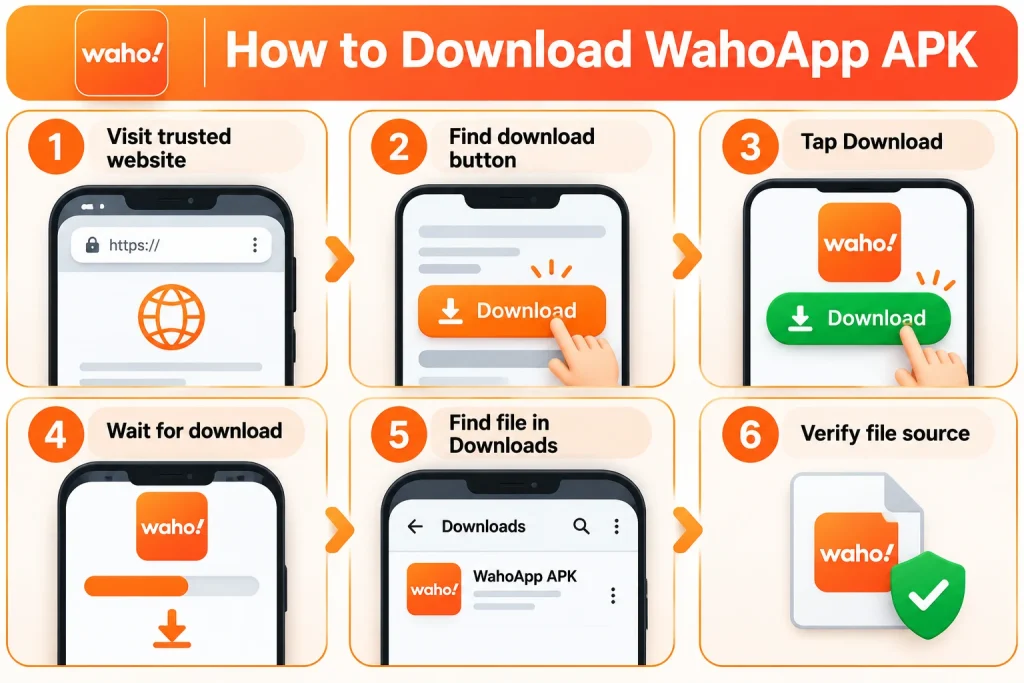
How to Download WahoApp APK
Follow these steps to download WahoApp APK to your Android device:
- Visit a trusted website that provides information about the WahoApp APK.
- Find the download section on the page.
- Check the available version, file size, and compatibility details.
- Tap the download button to download the APK file.
- Wait until the download is complete.
- Locate the downloaded file in your phone’s Downloads folder.
- Verify the file source before proceeding with installation.
Always be careful when downloading APK files from third-party websites. Avoid files from unknown sources that do not provide clear application information.
How to Install WahoApp on Android
After downloading the APK file, follow these instructions:
- Open File Manager on your Android phone.
- Navigate to the Downloads folder.
- Find and tap the downloaded WahoApp APK file.
- If Android requests permission to install apps from that source, review the setting and allow it only if you trust the source.
- Follow the on-screen instructions to complete the installation.
- Open WahoApp after installation.
- Explore the available templates and editing features.
If installation fails, check your available storage, Android compatibility, and the integrity of the downloaded APK file.
How to Use WahoApp Video Editor
Using WahoApp involves a straightforward process:
- Open the application and explore its available templates.
- Choose a design that matches your preferred video style.
- Add your photos or video clips.
- Customize the available music, text, effects, and transitions.
- Preview your video to check the final result.
- Export the completed video if the application supports this feature.
- Share your video on your preferred platform.
Available editing and export options may vary depending on the installed version.
Is WahoApp Free to Use?
WahoApp may offer free video editing features, but some tools, templates, or additional services could require payment. Check the application’s actual pricing information before using premium features.
If the app includes online earning, referral, or task-based activities, their availability and conditions should also be verified within the application. Do not assume that rewards or earnings are guaranteed.
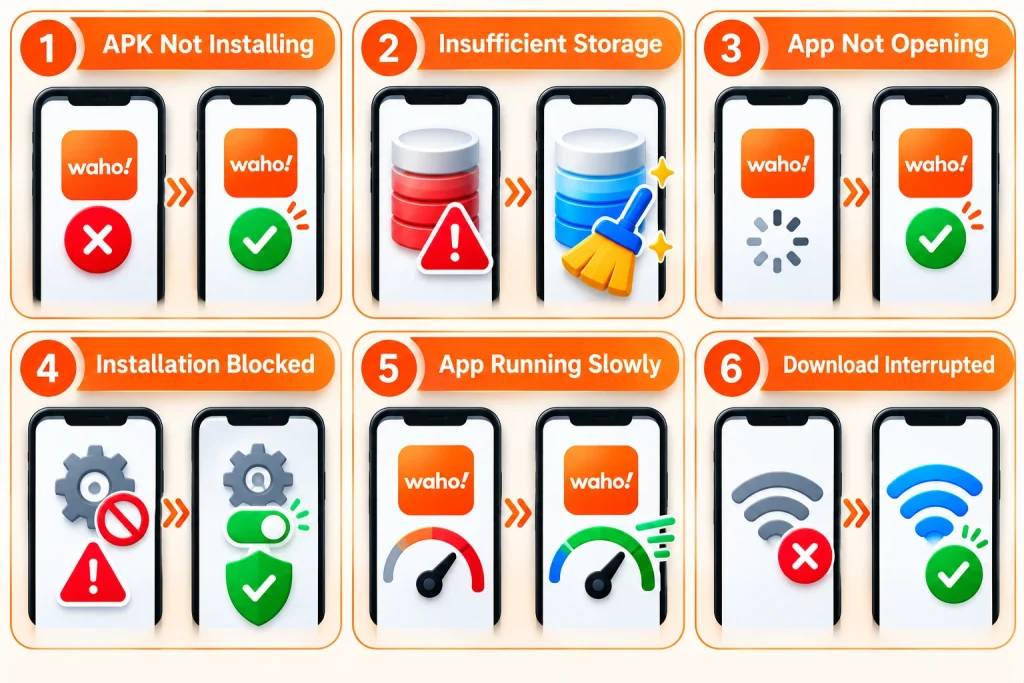
Common Installation Problems and Solutions
APK Not Installing:
Check whether the file downloaded completely and is compatible with your Android device.
Insufficient Storage:
Free up space by removing unnecessary files or applications.
App Not Opening:
Restart your device and check whether your Android version meets the application’s requirements.
Installation Blocked:
Review Android’s installation settings and proceed only if you trust the APK source.
App Running Slowly:
Close unused applications and make sure your device has sufficient available memory.
Download Interrupted:
Check your internet connection and download the file again from a reliable source.
Is WahoApp Safe to Download?
Before installing WahoApp APK, verify the download source and review the requested permissions. Since the developer has not been independently verified here, its authenticity and security cannot be guaranteed.
Avoid providing unnecessary personal information, sharing sensitive credentials, or granting permissions that do not appear relevant to the application’s functionality. If the app offers earning activities, carefully review its terms and conditions before participating.
Conclusion
WahoApp APK is aimed at users who want to create short videos using templates, music, transitions, and creative effects. Its template-based approach can make video editing more convenient for beginners and social media creators. Before downloading WahoApp, confirm the correct APK version, file size, and device compatibility. Review any premium features or earning-related claims carefully so you can make an informed decision before installing the application.